Automatic CRM and Product Data Sync to Redshift Using Native Connector Architecture
Managed connectors keep Redshift current, but teams still own governance.
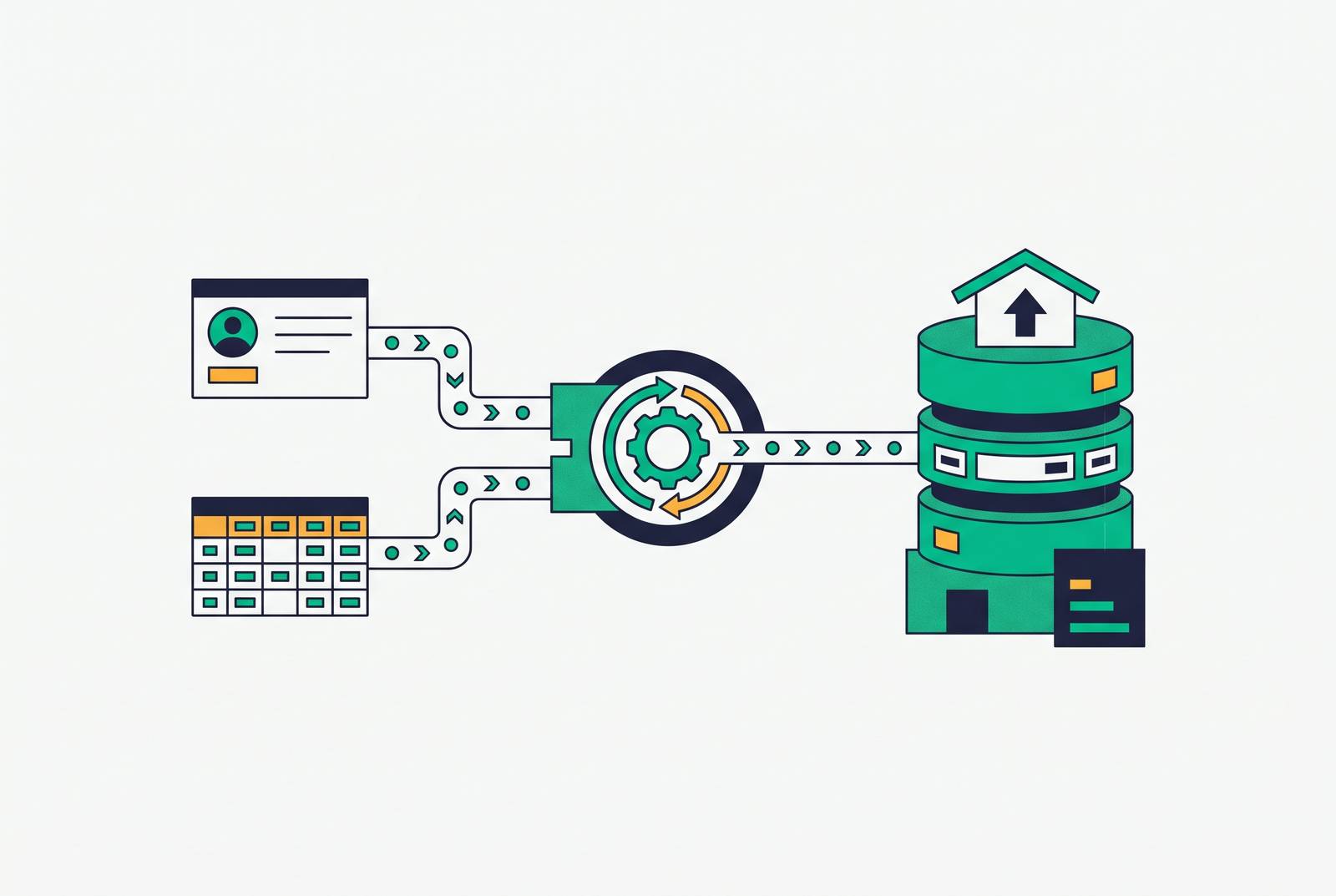
Automatic CRM and product data sync to Redshift is best treated as a managed connector function. Native connector architecture handles incremental loads, automatic schema evolution, and credential rotation so that continuous sync becomes an operational baseline. Teams still need to handle configuration and governance, including which sources are covered, destination workload management, and how fresh the data needs to be.
Why CRM data belongs in Redshift, not just the CRM
An AI agent reading only the CRM can tell a rep that Acme Corp is a 500-person SaaS company. An agent reading the warehouse can tell the rep that Acme is inside its renewal window, engagement has been sliding for three weeks, and an open expansion conversation is sitting in the pipeline. The change in answers makes these different products. The difference comes from where the agent is allowed to look, because the warehouse joins commercial context with behavior that the CRM alone does not contain.
Product analytics, churn modeling, and usage-based billing also depend on where the data comes from. Behavioral events, billing records, and CRM context need to be queried together, which is not what a CRM query layer was built to do at scale. Redshift therefore becomes the authoritative operational record for these combined views. Freshness becomes part of the product’s behavior. If CRM changes do not reach that record reliably, the features reading it work from an incomplete account of the customer.
How hand-built pipelines fail, and why they fail predictably
CSV exports, custom Python scripts, Airflow DAGs, and AWS Glue jobs put responsibility for source changes into pipeline code. Schema drift is the most common breakage point. When someone adds a CRM field, a load can break silently or loudly until an engineer intervenes. In a manual Salesforce-to-Redshift implementation, every column and data type is defined by hand, with no automatic mechanism for adapting to schema changes. CSV exports add record limits and manual scheduling, which makes them unsuitable as the foundation for continuous sync.
API rate limit handling must be coded and maintained, credential rotation remains a manual task, and incremental load logic must track changes as source APIs evolve. This work grows as teams add connectors and use more of each API. A pipeline that transfers data correctly today still leaves the engineering team responsible for keeping every source-specific assumption current, diverting attention from product work.
How can teams sync CRM and product data to Redshift automatically?
With native connector architecture, a managed ELT layer takes over the work of keeping up with each source. Each run pulls only new or changed records. This keeps source API usage low and makes costs easier to predict as the amount of data grows. Incremental sync eliminates repeated extraction, but it does not by itself protect the load from a changing source structure. That requires the connector to manage the destination schema as well.
When a new field appears in the CRM, automatic schema evolution detects the change and updates the destination schema without breaking the load. Peliqan’s managed connector documentation describes automatic schema evolution and incremental syncs as the mechanism for keeping Redshift in step with operational systems without writing Airflow DAGs, Azure Data Factory pipelines, or Glue jobs. The destination’s schema drift policy still determines which changes should be accepted automatically.
Managed credential rotation closes a separate operational gap. Credentials are stored encrypted at rest, rotated on a schedule, and kept out of pipeline code, removing expired tokens and rotated API keys as causes of manual-pipeline outages. For use cases that need frequent updates, Change Data Capture (CDC) captures row-level changes at the database layer so destinations stay up to date in near real time without repeated full-table reads. A connector that supports contacts but not custom objects, or reads but not deletes, leaves work for custom code, so evaluation must reach beyond connector count to triggers, actions, and data objects.
How Salesforce and HubSpot connectors to Redshift behave in practice
Sync direction is the first distinction to establish. HubSpot’s Amazon Redshift connector and Salesforce’s CRM Analytics connector both move data from Redshift into their respective environments. They illustrate native warehouse integration, but neither should be mistaken for the ingestion path described above. Their requirements also show why “native” does not mean configuration-free. Frequency, authentication, object coverage, and destination behavior remain implementation questions.
HubSpot Data Studio’s Redshift connector was in beta as of August 2026 and refreshes warehouse data into HubSpot every five minutes. Access requires a Data Hub Enterprise subscription and a Super Admin to opt the account into the beta before Redshift appears as an option. Setup extends into AWS and Redshift. The implementation team creates an AWS IAM role, updates permissions in both systems, and pastes the AWS Role ARN into HubSpot. For provisioned clusters, it gathers the cluster identifier, AWS region, account ID, and database name to construct the Cluster ARN and DB ARN, while serverless setup uses the Workgroup ARN from the AWS Redshift console.
Syncing a single Redshift source into HubSpot does not consume HubSpot Credits, but using a dataset in a workflow, segment, CRM sync, or export does, including uses involving calculated fields or joins. The teams best suited to adopt it early already run Redshift and Data Hub Enterprise, are at home in the AWS console, and have use cases where timing matters. These include live inventory, usage-based billing triggers, and fast-moving churn signals. Five-minute refresh is useful when the workflow benefits from it.
Salesforce’s CRM Analytics connector creates a remote connection that imports Redshift data into CRM Analytics. It requires an SSL-enabled cluster and MD5 encryption because SHA256 encryption is not supported. Connection settings include a JDBC URL in the required format, Username, Password, Schema name, Cluster Node Type, Number of Nodes, and optionally an S3 Bucket Name. Naming rules can also stop a sync. Connected object names must start with a letter, contain only letters, digits, or underscores, and end with a letter or digit, while field names permit alphanumeric characters, dots, underscores, and dashes, with spaces or brackets causing validation failures. Source-object filters use Redshift SQL condition syntax to exclude unnecessary or sensitive data before it reaches CRM Analytics.
Redshift-specific configuration that determines whether syncs stay reliable under load
Destination-side configuration is the counterpart to managed connector architecture. A well-designed connector can still deliver unreliable results if ETL, BI, and AI agent queries compete in one default workload management queue. Agent traffic is bursty and exploratory by nature. For production deployments serving those workloads together, the operational requirement is to configure workload management queues that separate ETL loads from BI and agent query traffic. Configuring these queues remains a Redshift responsibility when teams change connectors.
Teams also need a schema drift policy before they connect a source. A team must decide per source whether new columns should auto-add, cause an error, or be quarantined, then configure the ETL tool accordingly to avoid silent data loss. Cadence requires the same deliberate choice, with hourly sync for behavioral retargeting, daily sync for lifecycle use cases, and real-time sync only where the marginal cost is justified.
Teams also need to track costs with query tags for each team and workload, plus CloudWatch alarms for runaway scans. Redshift costs can balloon when teams share it without each team being held to account for its costs. Outbound freshness needs attention as well as ingestion. Reverse ETL audiences pushed to ad platforms or operational tools can lag behind the warehouse when their cadence is poorly tuned. A cart-abandonment campaign can still be late even when the warehouse is up to date.
How AI agents change what CRM-to-Redshift sync needs to deliver
Governed, auditable access is an architectural requirement for agents. A scheduled export to a separate agent-facing store creates a second copy of customer data that the security team may not have approved. It also separates the copy’s access controls from the warehouse’s controls, while a nightly export becomes stale as soon as data changes intraday.
Amazon Redshift integrates with the Agent Toolkit for AWS so that agents including Claude Code, Kiro, and Cursor can build, query, troubleshoot, and migrate Redshift data warehouses and data lakes. The integration pairs the AWS MCP server, which provides authenticated AWS API execution, with Redshift skills containing tested procedures and reference material. AWS documentation describes agents inheriting Lake Formation permissions when submitting SQL through Amazon Athena or Amazon Redshift Spectrum.
Agent access also changes the load profile. An agent issues a query, evaluates the result, decides what to do next, and adjusts, producing a significantly higher query rate than human-driven BI workloads. Reliable sync must coexist with repeated reasoning queries without abandoning the workload separation established on the Redshift side.
What to look for in a connector platform when continuous, governed sync is the requirement
Platform evaluation starts with automatic incremental sync and schema evolution, then extends to credential management and rotation. Enterprise requirements add security certifications, while customer-facing integrations add embedding or white-label support. Pricing is another architectural constraint at frequent sync cadences. Platform evaluation must account for whether moving more data incurs a penalty as CRM and product event volume grows. These criteria distinguish operational fit from a catalog entry that merely names Redshift.
Integrate.io offers ETL, ELT, CDC, and Reverse ETL across 100+ pre-built connectors, with configurable intervals from real-time to daily. Its Redshift connector catalog includes MySQL, PostgreSQL, MongoDB, Amazon S3, Google Ads, and Shopify. The implementation details differ by source. MySQL replication uses MySQL Binlog for CDC, while S3 integration uses native AWS COPY commands. Real-time pipeline health monitoring and custom alerts show teams how those flows are running.
Peliqan offers 300+ managed ELT connectors with automatic schema evolution, incremental syncs, and managed credential rotation, plus a 2-week custom connector SLA for unsupported sources. Its security provisions include SOC 2 Type II certification, GDPR compliance, ISO 27001 certification, encrypted credential storage, and TLS for transfers. EU-resident data stays within EU infrastructure. Its scope also includes reverse ETL, AI agent access through MCP servers, natural-language-to-SQL workflows, and a built-in spreadsheet UI for analysis without SQL.
MuleSoft Anypoint Connector for Amazon Redshift enables secure reads and writes, with Redshift objects serving as sources or targets in synchronization tasks and mappings. Its IAM connection type includes an optional Custom STS Endpoint field. It fits a broader enterprise integration architecture. The distinction is that Redshift participates in an Anypoint-orchestrated flow rather than being the sole destination under evaluation. Across these options, the decision depends on source depth, governance, operating visibility, and product integration requirements.
The operational baseline: what a working CRM-Redshift sync looks like day to day
A working production sync exposes last refresh time, record counts, and pipeline alerts without requiring engineers to reconstruct whether data moved. Schema changes follow configuration policy, credentials rotate without outages, and incremental loads keep the warehouse current without taxing source systems. ETL, BI, and agent traffic use separate workload management queues, while reverse ETL cadence reflects the freshness each workflow needs. Routine changes no longer become pipeline incidents.
For product teams, connectivity becomes a shipped feature. Engineering work shifts to configuring, monitoring, and extending that capability. The team is no longer debugging a pipeline on Saturday because a schema change broke it at 2 a.m.